
Table of Contents
ToggleReal Reasons Why Older People Resist Learning AI Tools: Last week, my 72-year-old neighbour asked me to help her order groceries online. She’d been managing just fine with phone calls to the local store, but they’d recently introduced an AI chatbot for orders. “I just don’t understand why everything has to change,” she told me, frustration evident in her voice. Her story isn’t unique, it’s playing out in millions of American homes right now.
The relationship between older adults and artificial intelligence is complicated, misunderstood, and frankly, not given the attention it deserves. While tech companies race to develop the next groundbreaking AI tool, a significant portion of our population feels left behind, confused, and sometimes even threatened by technology that’s supposed to make life easier.
Let’s dig into the real reasons why older people resist learning AI tools and, more importantly, how we can bridge this widening digital gap.
The Trust Factor: Why Older Adults Struggle to Recognize AI
One of the most fundamental issues is that many older peoples simply don’t recognize when they’re interacting with AI. Unlike younger generations who grew up watching technology evolve, older adults often can’t distinguish between traditional software and AI-powered systems.
When you’ve spent decades developing a mental model of how technology works-programs follow set rules, calculators perform basic math, databases store information-suddenly encountering systems that “think,” “learn,” and “understand context” feels disorienting. It’s not that older people can’t learn new technology; it’s that AI fundamentally challenges their existing framework for understanding how digital tools operate.
My friend’s father, a retired accountant, spent 30 minutes arguing with his bank’s AI customer service bot, convinced it was a poorly designed menu system. He never realized he was talking to artificial intelligence. This lack of AI literacy isn’t about intelligence-it’s about exposure and education.
The Eight Real Reasons Why Older People Resist Learning AI Tools
1. Fear of Making Mistakes and Privacy Concerns
For many older peoples, the stakes feel impossibly high. Baby boomers and older generations grew up in an era where your personal information was genuinely private. The idea of talking to an AI assistant about health concerns, financial questions, or personal matters triggers deep-seated privacy anxieties.
“What if I accidentally give it my Social Security number?” one 68-year-old workshop participant asked me. “What happens to everything I tell it?” These aren’t irrational fears-they’re legitimate concerns that deserve thoughtful answers. Unlike younger users who’ve normalized data sharing, older adults remember a world where privacy was the default, not something you had to protect.
2. Technology That Changes Faster Than They Can Learn
Think about it: someone who’s 75 today was 49 when the World Wide Web became publicly available. They were 60 when the iPhone launched. Just as they mastered email, everything shifted to social media. When they finally got comfortable with Facebook, the world moved to video calls and AI chatbots.
The pace isn’t slowing down. How older adults use and think about AI is heavily influenced by this constant state of catch-up. By the time they feel confident with one technology, it’s already obsolete or has evolved into something different. This creates a learned helplessness where many older people simply stop trying to keep up.
3. Lack of Relevant, Age-Appropriate Training
Most AI tools are designed by people in their 20s and 30s, for people in their 20s and 30s. The tutorials are fast-paced, use unfamiliar jargon, and assume a baseline of digital fluency that many older peoples don’t have.
When was the last time you saw an AI tutorial that explained what “prompt” means, or why you should phrase requests as questions? These aren’t obvious concepts if you didn’t grow up texting or using search engines strategically.
4. Physical and Cognitive Challenges
Aging brings real physical changes that make technology harder to use. Smaller fonts, low contrast interfaces, and touch targets designed for young eyes and steady hands create genuine accessibility barriers. Voice-activated AI assistants should help, but many struggle with older vocal patterns, accents developed over decades, and the slightly slower speech common in older age.
Add in the normal cognitive changes that come with aging-slightly slower processing speed, reduced working memory, and interfaces designed for speed and efficiency become overwhelming rather than helpful.
5. “If It Ain’t Broke, Don’t Fix It” Mindset
This is perhaps the most misunderstood resistance point. Older adults aren’t inherently opposed to new things-they’re skeptical of change without clear benefits. If you’ve been balancing your checkbook with paper and pen for 50 years and it works perfectly, why introduce an AI-powered budgeting app that might make mistakes?
From their perspective, they’re not resisting progress-they’re protecting systems that already work. The burden of proof lies with the technology to demonstrate that it’s truly better, not just newer.
6. Social Isolation and Lack of Support Systems
Learning new technology is much easier when you have someone to ask for help. Younger people have coworkers, friends, and family members who can troubleshoot problems instantly. Many older adults, especially those who are retired or live alone, lack these informal support networks.
Their adult children might live across the country. Their peers are equally confused. And calling a tech support line to ask “basic” questions feels embarrassing. This isolation creates a vicious cycle: the less they engage with technology, the further behind they fall, and the more isolated they become.
7. Fixed Income Concerns
While there are many free AI for seniors options available, that’s not always clear from the marketing. Many older Americans live on fixed incomes where every dollar counts. When they see AI tools marketed as premium services or worry about hidden costs, subscription fees, or needing expensive new devices, they understandably hesitate.
The perception that AI is expensive or requires constant upgrades creates a financial barrier even when free options exist.
8. Feeling Patronized and Disrespected
Here’s something that doesn’t get talked about enough: many seniors resist AI tools because of how they’re talked to about them. Well-meaning family members who speak slowly, over-explain, or show visible frustration create shame and resistance.
Technology marketing that treats seniors as a special category of user who needs “simplified” versions sends a message: this isn’t really for you. That’s not just insulting-it’s counterproductive. Older adults are perfectly capable of learning complex systems when given respectful, clear instruction.
How Can AI Help Seniors? The Untapped Potential
Despite these barriers, AI tools for seniors offer tremendous potential benefits that could genuinely improve quality of life:
Health Management and Medication Reminders: AI-powered apps can track medications, remind seniors to take pills, identify potential drug interactions, and even alert family members to missed doses. For someone managing multiple prescriptions, this isn’t a luxury-it’s potentially life-saving.
Combating Loneliness and Social Connection: AI companions and chatbots provide conversation for isolated seniors. While they’re not replacements for human connection, they can provide engagement during long hours alone. Video calling platforms with AI-enhanced features make staying connected with distant family easier.
Safety and Independence: Smart home devices with AI can detect falls, recognize unusual patterns that might indicate health problems, and provide voice-activated control of lights, thermostats, and locks-helping seniors age in place longer.
Cognitive Stimulation: AI-powered brain training games, customized learning programs, and interactive storytelling tools can help keep minds sharp. The key is finding programs specifically designed for older adults, not just repackaged kids’ games.
Simplifying Daily Tasks: From AI assistants that can read recipes aloud while you cook, to apps that can identify pills, translate text to larger fonts, or provide voice-to-text for those with arthritis, AI tools can reduce the physical strain of daily activities.
Financial Protection: AI fraud detection systems can help protect seniors from scams, while AI-powered budgeting tools can simplify financial management without requiring spreadsheet expertise.
What Should a 70-Year-Old Be Doing Every Day at Home? Building AI Skills Gradually
For seniors interested in dipping their toes into AI, the key is starting with tools that solve real, immediate problems in their daily life:
Morning Routine: Start the day by asking a voice assistant (like Alexa or Google Assistant) for the weather and news. This builds comfort with conversational AI in a low-stakes way.
Medication Management: Use simple AI reminder apps that send notifications for pills and doctor appointments. Apps like Medisafe are free and specifically designed for older adults.
Staying Connected: Make one video call per day to family or friends. Modern video calling platforms use AI to improve sound quality and even enhance video, features that work in the background without requiring any technical knowledge.
Mental Stimulation: Spend 15-20 minutes with AI-powered cognitive games or learning apps. Platforms like Duolingo for language learning or Lumosity for brain training use AI to personalize difficulty levels.
Reading and Learning: Use AI text-to-speech features to have articles, books, or emails read aloud. Most smartphones and tablets have this built in for free.
Voice Journaling: Talk to your phone or computer to keep a daily journal. AI transcription services can convert speech to text, making it easier for those with arthritis or vision problems.
The goal isn’t to use AI for everything-it’s to find one or two tools that genuinely make life easier or more enjoyable, then build confidence from there.
Free AI for Seniors: Getting Started Without Breaking the Bank
The good news? Many powerful AI tools are completely free and designed with accessibility in mind:
Google Assistant, Alexa, and Siri: These voice assistants are free with compatible devices many seniors already own. They can set timers, answer questions, play music, and control smart home devices.
ChatGPT Free Tier: While it sounds intimidating, ChatGPT’s free version can answer questions, help write emails or letters, explain confusing topics, and even provide companionship through conversation.
Microsoft’s Free AI Tools: Copilot, integrated into Windows and Edge browser, provides free AI assistance for writing, research, and daily tasks.
Library Resources: Many public libraries across the United States now offer free technology classes specifically for seniors, including AI basics. They also provide free access to computers and tablets for practice.
AARP and Senior Centers: Organizations dedicated to older adults increasingly offer free workshops on AI tools, taught by instructors who understand the unique needs of senior learners.
YouTube Tutorials: Channels specifically targeting senior audiences offer step-by-step, slow-paced tutorials on using AI tools. Search for “AI for seniors tutorial” to find gentle, comprehensive guides.
The Disadvantages of AI for the Older Peoples: Real Concerns That Deserve Acknowledgment
It would be dishonest to only promote the benefits without acknowledging legitimate drawbacks:
Decreased Human Interaction: Over-reliance on AI assistants for conversation or help can reduce face-to-face human contact, potentially worsening social isolation. AI should supplement, not replace, human connection.
Privacy Vulnerabilities: Seniors are disproportionately targeted by scams, and AI tools that collect personal data could create new vulnerabilities if not properly secured. The complexity of privacy settings often leaves older users unprotected.
Digital Dependency: Becoming dependent on AI tools creates vulnerability if technology fails, power goes out, or systems become inaccessible. Maintaining “analog” backup skills remains important.
Cognitive Decline Concerns: Some research suggests that outsourcing too much mental work to AI-calculations, memory, navigation-might reduce cognitive engagement. Balance is essential.
Manipulation and Misinformation: AI-generated content can be incredibly convincing, and seniors who are less familiar with AI capabilities may be more vulnerable to deepfakes, AI-generated scams, or misinformation.
Cost Barriers for Advanced Features: While basic AI is often free, the most helpful features- emergency monitoring, advanced health tracking, comprehensive smart home systems-often require subscriptions or expensive hardware.
Learning Curve Frustration: The reality is that learning AI tools takes time and patience. For some seniors dealing with health issues, reduced energy, or other life stressors, the mental load of learning new technology simply isn’t a priority or possibility.
Why Are People Resisting AI? It’s Not Just an Age Thing
While we’re focusing on older adults, it’s worth noting that AI resistance spans generations. The concerns seniors express-privacy worries, job displacement fears, loss of human connection, skepticism about accuracy-are shared by people of all ages.
The difference is that younger people often feel they have no choice but to adapt. Their jobs require it. Their social circles use it. They’re navigating a world increasingly built on AI infrastructure.
Older adults, especially retirees, have the luxury of choice, and many are choosing to opt out. That’s not wrong or shortsighted; it’s a valid decision about how they want to spend their remaining years.
Moving Forward: How We Can Help
If you’re an older adult reading this, here’s my honest advice: Start small. Pick one AI tool that solves one specific problem in your life. Don’t try to master everything. Don’t feel pressured to keep up with every new development. Find what works for you, learn it well, and ignore the rest.
If you’re a younger person helping an older family member or friend:
- Be patient and never condescending
- Let them drive the learning process at their own pace
- Respect when they choose not to adopt certain technologies
- Focus on tools that solve their problems, not the ones you think they should use
- Create cheat sheets and step-by-step guides they can reference
- Check in regularly to troubleshoot and reinforce learning
- Celebrate small wins and progress
For technology companies and designers: Older adults represent a massive, underserved market with specific needs and preferences. Better age-appropriate design, clearer privacy controls, slower-paced tutorials, and genuine customer support could unlock this demographic while creating more accessible tools for everyone.
The Bottom Line
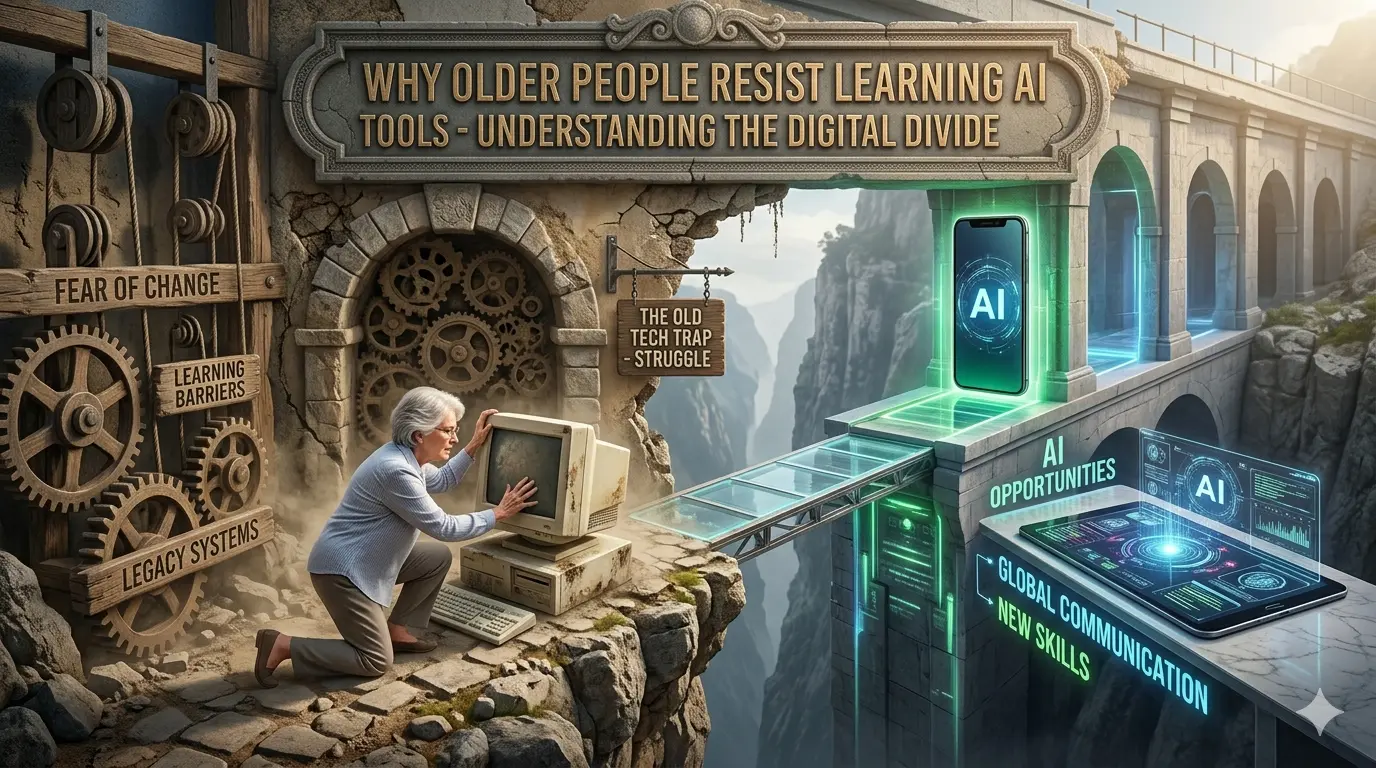
The resistance of older people to AI tools isn’t about stubbornness, inability to learn, or fear of the future. It’s a rational response to poorly designed systems, inadequate support, valid privacy concerns, and a lifetime of experience that’s taught them to be skeptical of flashy promises.
How older adults use and think about AI will continue evolving as the technology matures and hopefully becomes more accessible, trustworthy, and genuinely useful for their specific needs. The question isn’t whether seniors can learn AI tools. The question is whether we’ll create AI tools worth learning, presented in ways that respect their intelligence, address their concerns, and solve their actual problems.
The digital divide isn’t inevitable. It’s a choice we’re making through design decisions, education priorities, and the conversations we have about technology and aging. We can do better.
And for older adults taking those first tentative steps into the world of AI: You’re not behind. You’re not too old. You’re exactly where you need to be, learning at exactly the pace that’s right for you. The technology will wait. It should serve you- not the other way around.
For other such story: please visit mnpnews.com
Frequently Asked Questions
Why do old people not recognize AI?
Older adults often don’t recognize AI because it wasn’t part of their foundational understanding of technology. They learned computers as tools that follow explicit programmed rules, so systems that appear to “think,” interpret context, or learn patterns seem like magic rather than technology. Additionally, AI is increasingly invisible embedded in everyday applications without clear labeling. When there’s no obvious marker saying “this is AI,” older peoples using smartphones, websites, or customer service systems may interact with artificial intelligence without realizing it differs from traditional software. Better AI literacy education and clearer disclosure when AI is being used would help bridge this recognition gap.
Why are people resisting AI?
AI resistance crosses all age groups but is particularly pronounced among older adults for several converging reasons. Primary concerns include privacy fears (Where does my data go? Who’s listening?), lack of understanding about how AI works, previous negative experiences with complicated technology, worries about being replaced or becoming obsolete, skepticism about accuracy and reliability, and simple preference for proven methods that already work. For Older People specifically, these concerns combine with physical challenges like vision or hearing difficulties, limited access to patient training, and justified frustration with technology that changes faster than they can adapt. Many older Americans also grew up in an era where privacy was default and human connection was primary AI threatens both. Resistance isn’t irrational; it’s a reasonable response to inadequate onboarding, legitimate risks, and tools that often don’t clearly demonstrate value over existing methods.
What are the disadvantages of AI for the Older Peoples?
While AI offers benefits, older people face specific disadvantages including: Social isolation from replacing human helpers and conversations with AI interactions; Privacy vulnerabilities as voice assistants and health monitors collect sensitive personal data; Scam susceptibility with AI-powered fraud schemes specifically targeting seniors; Digital dependency that creates helplessness when technology fails; High costs for truly useful features beyond basic free tools; Cognitive impacts from outsourcing too much mental work to AI systems; Accessibility gaps as most AI tools aren’t designed for vision, hearing, or motor difficulties common in aging; Rapid obsolescence where learned skills become outdated quickly; Reduced autonomy when adult children use AI monitoring tools that feel invasive; and Discrimination in AI systems trained primarily on younger user data. Perhaps the biggest disadvantage is the emotional toll feeling left behind, foolish, or irrelevant in an increasingly AI-driven world. These aren’t reasons to avoid AI entirely, but they’re legitimate concerns requiring thoughtful mitigation.
What should a 70-year-old be doing every day at home?
A healthy daily routine for a 70-year-old should balance physical activity, mental stimulation, social connection, and yes, selective technology use including AI tools that enhance rather than replace these core needs.
Morning: Physical movement like stretching, walking, or gentle exercise; healthy breakfast; medication management (possibly using AI reminder apps).
Midday: Mental engagement through reading, puzzles, learning (AI language apps or brain training); social connection via phone calls, video chats with family, or community activities; creative hobbies like cooking, gardening, crafts, or music.
Afternoon: Continued light physical activity; managing household tasks (where AI smart home tools might help with reminders, lists, or controls); pursuing interests and passions.
Evening: Relaxation and entertainment; maintaining social bonds; preparing for quality sleep. Regarding AI specifically: Start with one simple tool that solves a real problem, maybe a voice assistant for medication reminders, an AI-powered video calling app to see grandchildren clearly, or audiobooks read by AI voices. The goal isn’t using AI for its own sake, but finding tools that support independence, safety, connection, and joy. Balance is key: technology should enhance an active, engaged life not replace it.
How to make AI approachable for adults 50+?
Making AI approachable for adults over 50 requires a fundamentally different approach than teaching younger users.
- Start with relevant problems, not features: Don’t explain “what ChatGPT can do”, show how it can help write a sympathy card, plan a vacation, or understand a confusing medical term.
- Use familiar language: Avoid jargon like “prompts,” “models,” or “interfaces.” Say “type your question” instead of “enter a prompt.”
- Provide hands-on, in-person learning: One-on-one or small group sessions at senior centers, libraries, or community colleges work far better than YouTube tutorials. Having someone there to answer questions without judgment is crucial.
- Create simple, laminated cheat sheets: Step-by-step instructions with large fonts and screenshots they can keep beside their computer.
- Start with voice, not typing: Voice assistants like Alexa or Siri feel more natural and accessible than typing on small keyboards or phones.
- Build confidence through small wins: Master one simple task completely before moving to another. Maybe just asking a voice assistant for the weather- every day for a week until it feels natural.
- Address security concerns directly: Explain exactly what data is collected, how to protect personal information, and which AI tools are safe. Don’t dismiss their privacy worries as paranoia.
- Connect AI to their existing interests: If they love cooking, start with recipe apps. If they enjoy history, show them AI tools that can answer historical questions or colorize old family photos.
- Create a judgment-free environment: Never say “it’s easy” or show frustration. Normalize that learning takes time and mistakes are part of the process.
- Involve peer mentors: Older adults who’ve successfully adopted AI tools make the best teachers, they remember the struggle and speak the same language.
- Emphasize control and choice: Make it clear they can turn features off, delete data, and use AI selectively. It’s a tool they control, not something controlling them. The key insight: adults 50+ aren’t resistant to learning, they’re resistant to feeling stupid, losing privacy, or adopting tools that don’t respect their intelligence and experience.